How to Add an Account Manager to AMEX
How To Add Faith Resolutions as Your AMEX Account Manager
Below is a list of step-by-step instructions on how to add Faith Resolutions to your American Express account as an Account Manager. Please note, AMEX may change these screens. If you have any trouble completing this process, please feel free to message us via the portal.
1) Login to your AMEX account and click on Account Services.

2) Select Manage Other User/Members

3) You will need to answer one of AMEX account verification options or standard security questions in order to proceed.
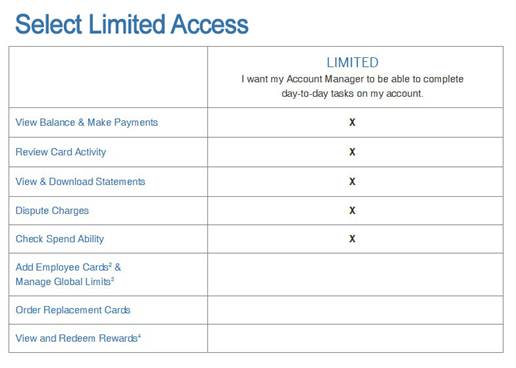
4) Choose Limited Access and Add Faith Resolutions admin@faithresolutions.com as the Account Manager.
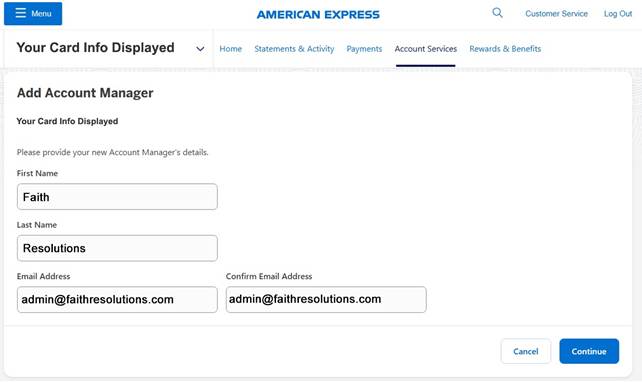
Continue to finalize the request.
Please let us know this has been completed by messaging us in the portal once you have completed the account manager setup so we can be on the lookout for the notification from AMEX.
For more information, visit American Express https://www.americanexpress.com/us/credit-cards/features-benefits/account-management/account-manager.html